Romantic Love Sticker Maker
- 4.3
- Rating
- 1.00M
- Installs
- Free
- Price

 Analysis by App-foxy
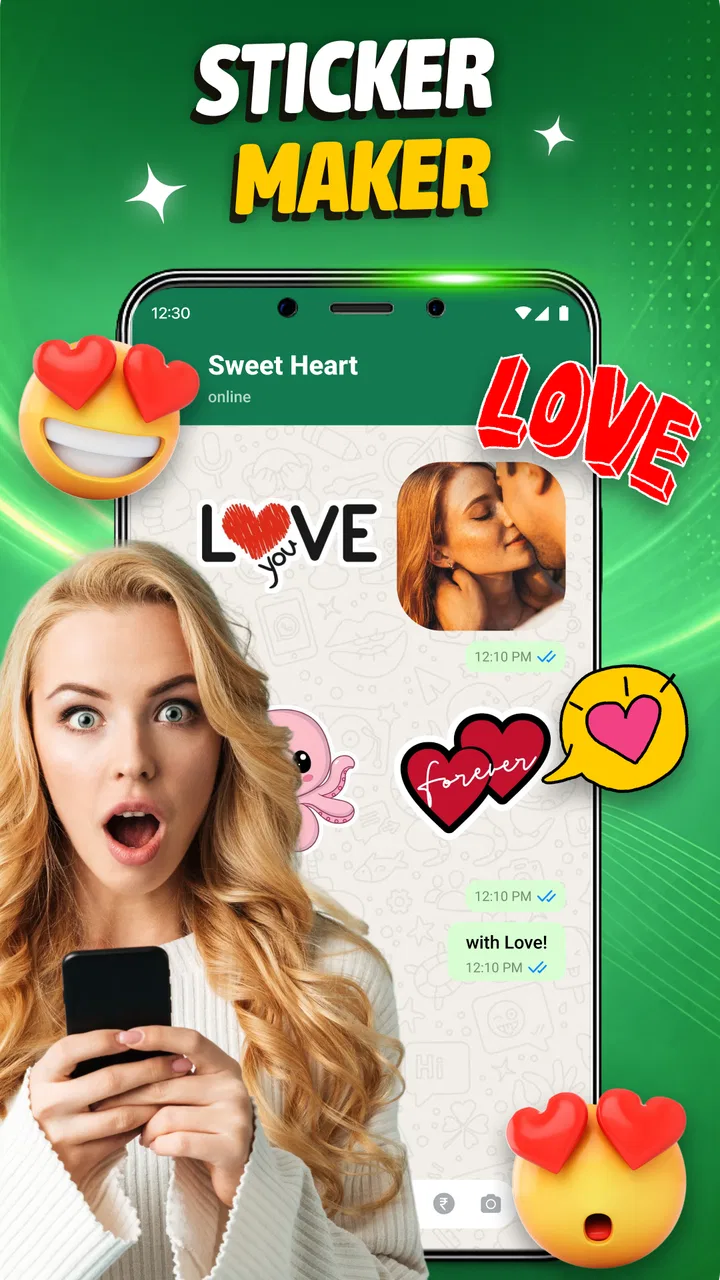
Romantic Love Sticker Maker is a communication app from Stickorax Apps that I would describe as a focused tool for adding a warmer, more personal touch to WhatsApp conversations. Its purpose is simple: create custom romantic stickers instead of relying only on the standard sticker packs already available in messaging apps. I found the idea most useful when a normal emoji felt too plain but typing a long message felt unnecessary.
The app is free, aimed at Everyone, and available for devices running Android 7.0 or later. Its current version is 1.1.2, and its presence on more than a million devices suggests that the concept has reached well beyond a small group of sticker enthusiasts. The average rating sits at 4.5 from roughly 2.7 thousand ratings, which gives it a positive first impression, although I would still judge it by how well it fits your particular messaging habits.
How Romantic Love Sticker Maker feels in everyday use
I find the app most useful when a chat needs a little warmth but not a long reply: a sticker can add personality without demanding much time or attention. The key is to make that shortcut feel considered rather than automatic, so I’d keep the collection small and tied to moments I genuinely want to mark. That leads to the bigger question of how it fits into the flow of an actual conversation.
You May Also Like

 Blood Strike: 2.5 Anniversary
Blood Strike’s Loadouts Turn Every Drop Into a Tactical Gamble
A close look at Blood Strike’s custom loadouts: how fast access to signature weapons reshapes its battle royale rhythm, rewards preparation, and narrows the gap between fights.

 Pandora - Music & Podcasts
Pandora’s Music Is Easy to Start, but Harder to Recover
Pandora’s strength is its low-effort path from a seed to a station. Its weak spot is how much confidence it asks you to place in connection, setup, and quiet recovery.

 8 Ball Pool
 Is Built on Rivalries, Rematches, and Routine
A close look at the rivalries, rematches, shared routines, and unanswered safety questions that turn a quick pool match into a persistent mobile community.

 Samsung Music
’s Quiet Strength Is Playing What You Already Own
Its reach comes less from spectacle than from dependable access to a personal library. That simplicity is both the app’s strongest retention engine and its ceiling.

 AccuWeather: Weather Radar
AccuWeather Review: A Quick, Clear Forecast for Everyday Decisions
For everyday plans, the best forecast is the one you can understand quickly. AccuWeather makes rain timing, radar, and local conditions easy to act on, with a few trade-offs.

 Hill Climb Racing
Why Hill Climb Racing Still Turns Crashes Into One More Run
A tiny car, a bumpy hill and one more upgrade: Hill Climb Racing keeps resurfacing because its simple chaos makes every near-miss feel personal.
More From Our News Desk



A quick way to make ordinary chats feel more personal
What I like most about Romantic Love Sticker Maker is that it targets a very specific communication problem. Many conversations are affectionate but repetitive: good morning, good night, thinking of you, or a quick heart after a busy day. A custom sticker can carry that feeling faster than a sentence, while still seeming more personal than tapping the same built-in emoji every time.
I can imagine using it during a normal workday when I have only a moment to reply. Instead of opening a full design application, preparing an image, and then trying to turn it into something suitable for WhatsApp, I would use a sticker maker built around that exact kind of exchange. The romantic theme also reduces decision fatigue. You are not searching through unrelated cartoon, gaming, or reaction categories when what you want is an affectionate response.
The strongest use case is therefore not artistic experimentation for its own sake. It is quick personalization. If you regularly message a partner, close friend, or family member with playful affection, a small collection of stickers can make familiar conversations feel less automatic. The app is also a reasonable starting point for people who have never created stickers before and want a simpler entry point than a general graphics editor.
Speed expectations and the value of a focused design
Because the app concentrates on romantic stickers, I expect the basic path from opening the app to preparing a message to feel less confusing than a broad image-editing tool. That narrow purpose matters. A general editor may offer more control, but it also introduces extra menus, canvas settings, export choices, and unrelated creative tools. For a quick WhatsApp reply, those options can become friction rather than a benefit.
My practical advice is to prepare several stickers during one quiet moment instead of creating them one at a time in the middle of a conversation. Building a small personal set first gives you something useful to reach for later. It also lets you decide which expressions you actually use, such as affection, apology, encouragement, celebration, or a simple “I miss you” feeling, rather than filling your collection with designs that look appealing but rarely fit real messages.
There is a trade-off here. A specialized app can feel faster because it keeps you on topic, but it may not satisfy someone who wants detailed control over typography, layers, color correction, or unusual layouts. If your goal is polished visual design rather than fast personal messaging, a dedicated image editor may remain the better companion. This app makes more sense when the final result needs to be a usable WhatsApp sticker, not a finished poster.
What happens during heavier use
The most demanding moments are likely to come when you create several stickers in one sitting, work with larger images, or repeatedly move between editing and sharing. Even without treating it like a professional design suite, that workflow can be more demanding than making a single small graphic. I would keep the source images reasonably tidy and avoid preparing an unnecessarily large batch when the phone is already busy with other tasks.
A useful workflow is to separate selection from creation. First choose a handful of photos or visual ideas that genuinely suit your conversations. Then create the stickers in one session and test them in a private chat or personal conversation before sending them to someone else. This prevents the common mistake of making many similar designs and discovering later that only two are comfortable to use at messaging speed.
Another practical insight is to think about readability at a small size. A romantic sticker may look attractive while filling the phone screen, but tiny text, delicate details, or a complicated background can lose their impact once the image appears beside a short WhatsApp message. I would favor clear shapes, strong contrast, and one obvious emotional idea. That is not a limitation of the app alone; it is a limitation of sticker communication, and designing with it in mind produces better results.
Heavy use also exposes the difference between creating and organizing. Making a sticker may be enjoyable, but finding the right one later is what determines whether you will actually use it. I recommend naming or grouping your ideas mentally by situation: affectionate greetings, reassurance, celebrations, and playful reactions. Even a small collection becomes easier to manage when every sticker has a clear purpose.
Stability, interruptions, and recovering your workflow
For a communication tool, reliability matters more than visual novelty. A sticker maker can be fun, but it becomes frustrating if an interrupted creation session leaves you unsure whether the work was saved or whether you need to start again. I would treat longer editing sessions cautiously: finish one sticker completely before moving to another, and avoid closing the app immediately after a major change until the result is clearly ready for use.
This is especially relevant when switching between the sticker maker and WhatsApp. Messaging apps are often opened in the middle of other tasks, and phones may reclaim active apps when memory is under pressure. If you are preparing something important for a birthday, anniversary, or apology, create it before the conversation becomes urgent. That gives you time to recover calmly if you need to repeat a step.
My recovery habit would be simple: keep the original image available until the sticker has been used successfully. That way, an interrupted process does not force you to recreate the source from memory. It also gives you flexibility to adjust the design if the final result is too busy or unclear. This is a small workflow improvement, but it makes a noticeable difference when using any mobile creation app for real conversations.
I would also avoid assuming that every sticker will communicate perfectly in every chat. A romantic image can be interpreted differently depending on the relationship and the surrounding message. I prefer sending the sticker alongside a short phrase when the meaning could be ambiguous. That keeps the visual element expressive without making it responsible for carrying the entire conversation.
Device constraints and who should think twice
The Android requirement is broad enough to include older phones, which is helpful for people who do not upgrade frequently. Still, the minimum operating system is only one part of the experience. Available storage, memory, image size, and the number of apps running in the background can all affect how comfortable a creation workflow feels. On an older or entry-level device, I would keep projects modest and avoid treating the app as a replacement for a full desktop editor.
Storage planning is easy to overlook. The finished stickers are only part of the footprint; original images and repeated drafts can also accumulate. I would periodically remove failed experiments and keep only the designs I actually send. This is particularly useful for anyone who creates many variations of the same romantic message. A smaller collection is often faster to browse and more enjoyable to use than a large, disorganized one.
People who mainly want ready-made sticker packs may not be the ideal audience. The appeal here is customization, so the app earns its place when you want your messages to reflect your own relationship or sense of humor. If you never want to select images, adjust a design, or build a personal collection, a conventional sticker browser will probably be more convenient.
It is also not the right choice for users looking for a broad communication platform. This is a supporting tool for WhatsApp conversations, not a replacement for messaging, calling, or social networking. Its value depends on whether stickers are already part of the way you communicate. If your chats are mostly formal, work-related, or text-heavy, the romantic focus may feel narrow rather than useful.
How it compares with usual alternatives
Compared with WhatsApp’s standard emoji, a custom sticker can feel more distinctive and expressive. Emoji are excellent for quick, universally understood reactions, but they are also familiar to everyone. A personalized sticker has more character, especially when it reflects an inside joke, a shared moment, or a particular way you address someone.
Compared with downloadable sticker packs, this app offers a more personal direction. Ready-made packs are faster when you want immediate variety, and they can be better for users who enjoy switching between many themes. The drawback is that they may not match your tone. Romantic Love Sticker Maker is more appealing when relevance matters more than quantity.
Compared with a general photo editor, the advantage is focus. You do not need to shape a design around a broad visual project when your destination is a WhatsApp conversation. The disadvantage is that a specialist sticker tool may not provide the same depth as a full editor. I would choose this app for speed and purpose, and a broader editor when I need careful retouching, complex composition, or precise branding.
There is also a middle ground: some users may prefer making images elsewhere and using a separate sticker-import workflow. That can offer more creative freedom, but it divides the process across multiple tools. For casual personal messages, that extra step may not be worth it. For someone who enjoys designing every detail, the added control may justify the inconvenience.
Small habits that make the app more useful
My first tip is to create around situations rather than isolated decorations. A heart by itself is easy to repeat, but a set built around “good luck,” “I am here for you,” or “you made me smile” has more practical value. Thinking in conversation moments helps you produce stickers that you will still want to use after the initial novelty fades.
My second tip is to test visual clarity in the actual chat environment. A design that looks balanced while editing may appear too small, too pale, or too crowded once sent. I would send a test to myself or a trusted contact before making a large batch. This is a better judge of usability than spending extra time polishing an image at full size.
My third tip is to keep emotional context in mind. Romantic stickers work best when they support the message rather than replace it every time. A sticker after a thoughtful sentence can add warmth; a sticker sent without context may be misunderstood. The app gives you a way to express yourself, but good timing and a clear relationship still matter more than the graphic itself.
Finally, I would build a compact collection and revise it. Remove designs that feel too repetitive, keep the ones that receive a natural response, and create new stickers only when you notice a genuine gap. This turns the app from a one-time novelty into a small communication toolkit that reflects how you actually talk.
My performance verdict
Romantic Love Sticker Maker succeeds because its purpose is easy to understand: it helps turn affectionate ideas into stickers suited to WhatsApp. The free price removes the biggest barrier to trying it, while the Everyone rating makes it approachable for a wide audience. Stickorax Apps has chosen a narrow theme, and that narrowness is both the app’s main strength and its clearest limitation.
I would recommend it to couples, close friends, and anyone who enjoys adding personal visual touches to everyday chats. It is particularly suitable for people who want something simpler than a full design program and more personal than a standard emoji. I would skip it if you want advanced graphic controls, a broad collection of unrelated sticker themes, or a communication app that does more than support WhatsApp messaging.
The positive rating and adoption give the app a reassuring starting point, but the real test is whether you will use the stickers after creating them. My answer is yes, provided you approach it as a practical tool rather than an unlimited design studio. Prepare a small, readable set, keep your source images organized, and judge each result inside a real conversation. Used that way, it adds personality without making messaging feel like work.
With more than a million installs and an average rating of 4.5, it has clearly found an audience for this focused idea. I see it as a lightweight addition to a WhatsApp routine: not essential for everyone, but genuinely handy when a familiar message deserves a more personal finish. If your goal is faster, warmer, and more individual replies, this is the kind of specialized app worth trying.
FAQs for Romantic Love Sticker Maker
01What is Romantic Love Sticker Maker used for?
Romantic Love Sticker Maker is designed for creating personalized love-themed stickers for chats, social media posts, and digital greetings. It typically lets you combine romantic graphics, hearts, messages, emojis, and photos into custom sticker designs. It can be useful for anniversaries, Valentine’s Day, birthdays, or simply adding a personal touch to conversations with a partner, friends, or family members.
02Can I create stickers using my own photos?
Yes, the app is intended to let users personalize romantic stickers with images from their device, depending on the available editing tools and permissions. You may be able to crop photos, remove or adjust backgrounds, add decorative elements, and include text. Before using personal images, check the app’s privacy permissions and make sure you have the right to use any photos you import or share.
03Where can I use the stickers I create?
Created stickers are generally meant for use in messaging and social applications that support image sharing or sticker packs. Depending on the version and platform, you may be able to save designs to your gallery, share them directly through another app, or add them to a compatible keyboard or messaging service. Compatibility can vary, so some apps may receive the sticker as an image instead of a native sticker.
04Is Romantic Love Sticker Maker free to download and use?
The application may be available as a free download, but some features can depend on the specific version, platform, or business model. Free editions may include advertisements, optional purchases, premium designs, or limits on certain editing tools. It is recommended to review the store listing before downloading so you can check pricing, in-app purchases, supported devices, and whether an internet connection is required.
05Does the app require access to my photos or other personal information?
To create stickers from personal images, Romantic Love Sticker Maker may request access to your photo library, camera, or device storage. These permissions should only be granted if they are necessary for the features you want to use. Review the privacy policy and permission settings before continuing, and avoid importing sensitive images if you are unsure how the app stores, processes, or shares uploaded content.
Pros
- Large collection of romantic stickers for chats and social posts.
- Simple editing tools make custom sticker creation quick.
- Useful for anniversaries
- birthdays
- and Valentine’s Day messages.
- Supports personalized text
- emojis
- and decorative elements.
- Easy sharing options for popular messaging and social apps.
Cons
- Some sticker packs or design elements may require in-app purchases.
- Ads can interrupt editing and browsing sessions.
- Sticker quality may vary between different themed collections.
- Advanced customization options are limited for experienced users.
- Export and sharing features may depend on device permissions.

Romantic Love Sticker Maker
Gallery